
A Simple Website Alternative for Sole Traders and Local Tradespeople
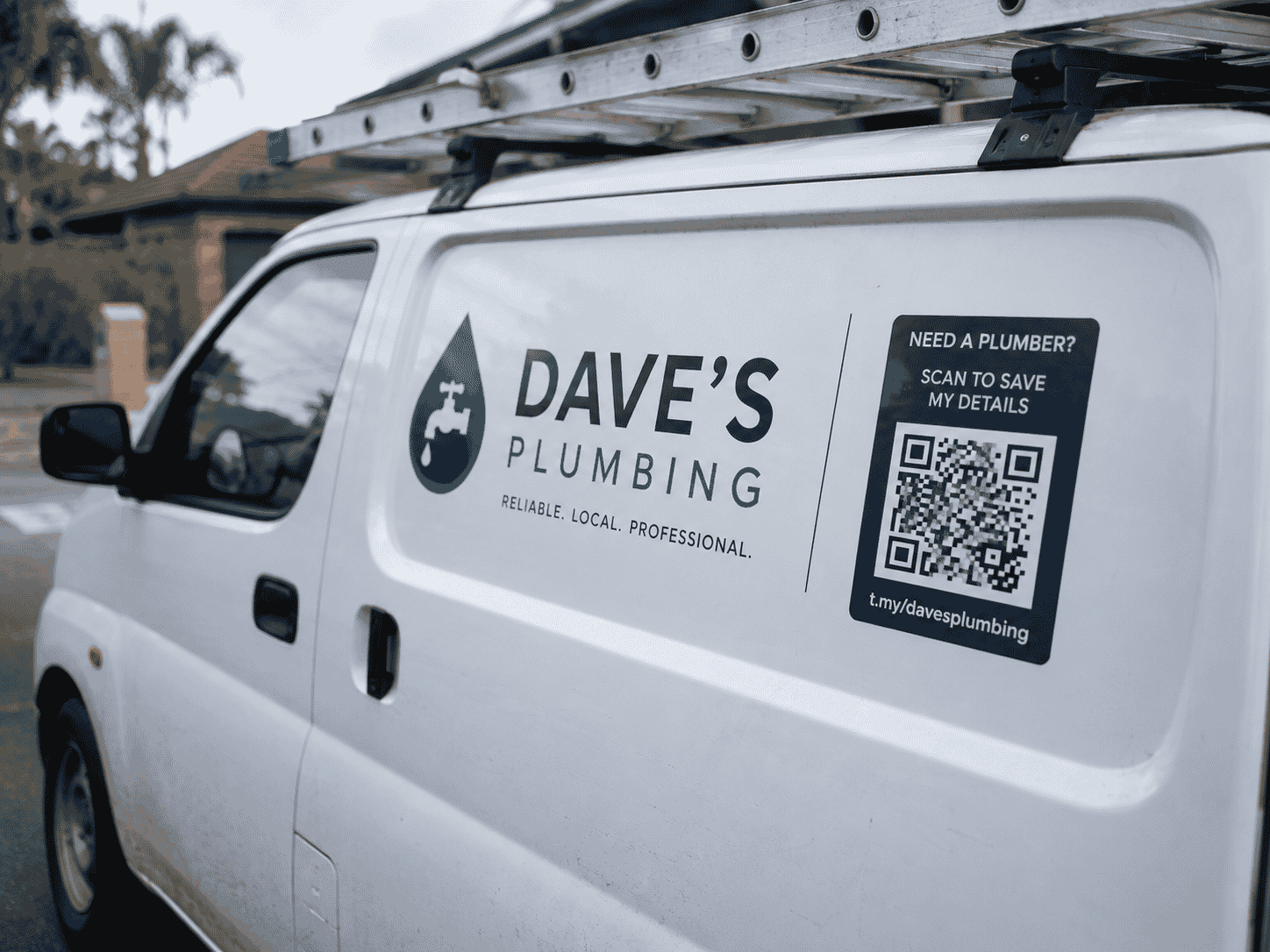
Dave is a plumber working on his own. Most of his jobs come from referrals and local Facebook groups. When someone asks for his details, he sends a photo of his business card or types out his number in a message. It works, but it does not look very professional.
For: Builders, plumbers, electricians, landscapers, cleaners, and other local sole traders
The problem
Sole traders often rely on word of mouth, repeat customers, and local community posts. That is a solid way to get work — until someone new asks for a link, wants to see examples of your work, or needs your number after hours.
Without a simple online page, you end up sending screenshots, repeating the same info in texts, or losing jobs to someone who looks more established online.
Why a full website may be too much
A tradesperson starting out — or someone who gets most work from referrals — rarely needs a large company website with multiple service pages, a blog, and a booking system.
Paying a developer or wrestling with a website builder takes time and money you would rather spend on tools, fuel, and actually doing the job. And most tradies never set up analytics properly, so they never know if their van sticker or flyer is worth the cost.
How the t.my Trades template helps
The t.my Trades template is a one-page layout built for local trades and services. List what you do, show photos of your work, add your service area, and give people a clear way to contact you — all at a short link like t.my/yourbusiness.
It is quick to set up, easy to update when your services change, and straightforward to share by SMS, QR code, or social media.
What you can include
- Business name and short description
- List of services with optional pricing notes
- Service area or suburbs covered
- Photos of completed jobs
- Phone, email, WhatsApp, and other contact options
- Social links and optional reviews or testimonials
- Call-to-action button (call now, get a quote, and so on)
- Short link, QR code, and built-in analytics
Where to share it
Put a QR code on your work van, toolbox sticker, business card, invoice, or job-site sign. Share the short link in local Facebook groups, SMS replies, or when a customer asks for your details.
Some tradespeople keep one QR code on the van and another on flyers dropped in letterboxes — then compare which gets more scans over a month.
Why built-in analytics matter
You do not need to understand Google Analytics to know if your page is working. t.my shows visits and QR scans in plain numbers on your dashboard.
That is helpful when you are deciding whether to reprint flyers, renew a van sign, or post more often in local groups. Did anyone actually scan the code on your van this month? Now you can answer that without guessing.
Example scenario
Dave creates t.my/baydrop-plumbing with his services, suburbs covered, photos of recent bathroom jobs, and a clear call button. He adds a QR code to his van and puts the link in his Facebook group profile.
A few weeks later he checks analytics and sees steady scans from the van QR code on weekdays — mostly around 7–8am when people leave for work. He adds a note to his page about emergency call-outs and gets two new jobs from people who scanned while parked at the lights. No website agency, no monthly builder subscription.
Ready to try it?
Create your own trades page in minutes — short link, QR code, and built-in analytics included.
Create a trades page →Related use cases

A Simple Online Page for Small Businesses That Do Not Need a Full Website
Home-run sellers and market stalls can publish a neat t.my small business page with photos, hours, contact options, and QR codes — without paying for a full website.
Build a Premium-Looking Website Faster with Built-In Analytics
t.my Premium gives you a polished multi-section page — add only the sections you need, share with QR codes, and track visits without plugins or tracking scripts.